OmniGeometry review
Makes intricate mandala and sacred geometry patterns in minutes instead of a lost afternoon.
By the RJ Editorial Team. Sales page checked 2026-09-23. Last updated 2026-09-23.
Is it worth it?
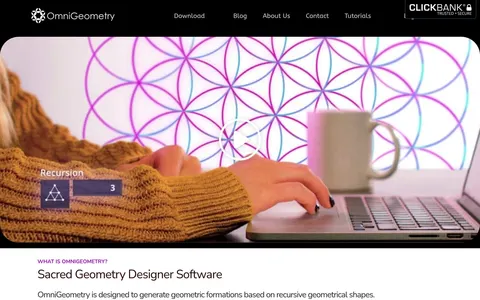
You've probably tried this already. Maybe you opened Illustrator, drew a circle, set up a rotate-and-duplicate, and forty minutes later you had something that was nearly right but not quite, and you'd lost the thread of the idea you started with. Or you did it on paper with a compass and it looked lovely until one line went wrong. OmniGeometry exists for exactly that gap. It's a dedicated pattern engine rather than a drawing program. You build a design in layers, each layer has somewhere north of 40 settings (number of points, radius, rotation, recursion depth, colour, line weight and so on), and the canvas updates as you drag. The recursion is the real feature: bump the depth by one and the point count multiplies, which gives you formations you would never sit down and plan. Most of the work is nudging sliders until something clicks, then exporting. Export is PNG with transparency or vector PDF, so it slots into Photoshop, Affinity, Inkscape or a print workflow. Worth knowing: the page talks about what it does and not what it costs, and it's billed on a subscription, so you're renting it. Nothing on the page explains whether your saved scenes stay openable if you stop paying, which is the question I'd ask before the first payment. Also it makes one kind of picture. Beautifully, but one kind.
Pros
- Built for this one job, so it's fast at it
- Live preview makes experimenting genuinely enjoyable
- Vector PDF export scales to any print size
- Recursion turns up patterns you wouldn't have thought of
Cons
- Recurring subscription, and the page never states the price
- No word on refunds, trial length, or whether your saved designs stay accessible after you cancel
- It only makes radial geometric patterns, it won't replace a general design tool
- 40 parameters per layer means a fiddly first week
What you get
An account for the OmniGeometry designer itself. You get a layer based canvas where each layer carries 40-plus adjustable parameters, live preview as you change them, recursion controls that multiply a base shape into deep formations, colour and line settings, saved scenes you can reopen and tweak, and export to lossless transparent PNG or infinite resolution vector PDF.
Before you buy
- Find the actual monthly or yearly figure and the cancellation terms before you enter card details
- Check whether it runs in a browser or installs locally, and on which systems
- Export a design early and open the PDF in whatever editor you actually use, so you know the files work for you
Who it suits
People who love mandala and sacred geometry art and want to make their own, especially for prints, tattoo references or album and poster work. Not for general illustration or logo design.