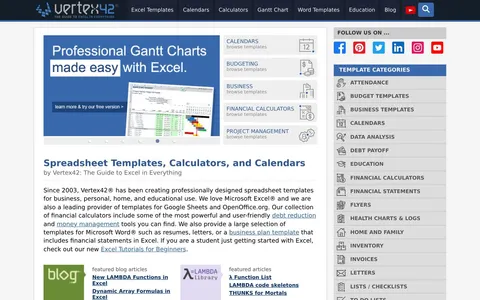
Vertex42 Excel Templates review
Ready made spreadsheets for budgets, projects, invoices, timesheets and calendars.
By the RJ Editorial Team. Sales page checked 2026-09-23. Last updated 2026-09-23.
Is it worth it?
You've probably got a project deadline creeping up, a budget that's quietly gone sideways, or invoices you're still typing out by hand every month. And you've thought: someone must have built this already. That's the itch Vertex42 scratches. They've been making Excel templates since 2003 and the catalogue is deep. Personal budgets, debt snowball calculators, Gantt charts, timesheets, check registers, home inventory, wedding budgets, school calendars, project schedules. One thing to know before you pay for anything: a big chunk of the Vertex42 library is free to download straight off their site. Go look first. The paid versions are generally pro editions of a template, more features, business use licensing, no branding. That's a fair trade if you're going to live in that file every week. Less so if you want a calendar for the fridge. What arrives is a real spreadsheet, not a picture of one. The formulas work. You put your numbers in the coloured cells and the totals move. If you can widen a column and delete a row, you'll manage. If you can't, there are tutorials, but budget an afternoon of poking about. It won't do the thinking for you. A budget template doesn't make you budget. What it does kill is the blank page, and for most people that's the actual blocker.
Pros
- Files are editable with real working formulas, not locked PDFs
- Very wide range, from mortgage maths to wedding checklists
- Works in Excel, Google Sheets and OpenOffice
- One off purchase, no ongoing billing
Cons
- Much of the library is free on the site, so check before paying for anything
- The page doesn't state price, refund terms or exactly what the paid version unlocks
- Assumes you're reasonably comfortable in a spreadsheet; some templates get complicated fast
What you get
Spreadsheet templates you download and open in Excel, Google Sheets or OpenOffice. Budgets, Gantt charts, invoices, timesheets, check registers, debt payoff and savings calculators, calendars and planners, plus Word files like resumes and a business plan. Files are working spreadsheets with live formulas, so you type your numbers in and the totals update. There are printable PDF calendars too, and blog tutorials covering things like conditional formatting and LAMBDA.
Before you buy
- Search the free templates first and see if the one you want is already there
- Check the licence if you'll use it for client work or inside a business
- Find the refund policy before paying, it isn't on the main page
Who it suits
Anyone who needs a solid working spreadsheet now and would rather edit than build. Not for people who want an app that does it for them.